Messages, WhatsApp & chatbot
Talk to your parents where they already are.
In-platform threads today. WhatsApp Business + chatbot landing in roughly a month. Same audit trail, same RBAC, same data — three surfaces.
School-parent comms usually scatter across WhatsApp groups, SMS, email, and "tell my child". Edu Flick consolidates them — and brings WhatsApp inside the system instead of leaking out of it.
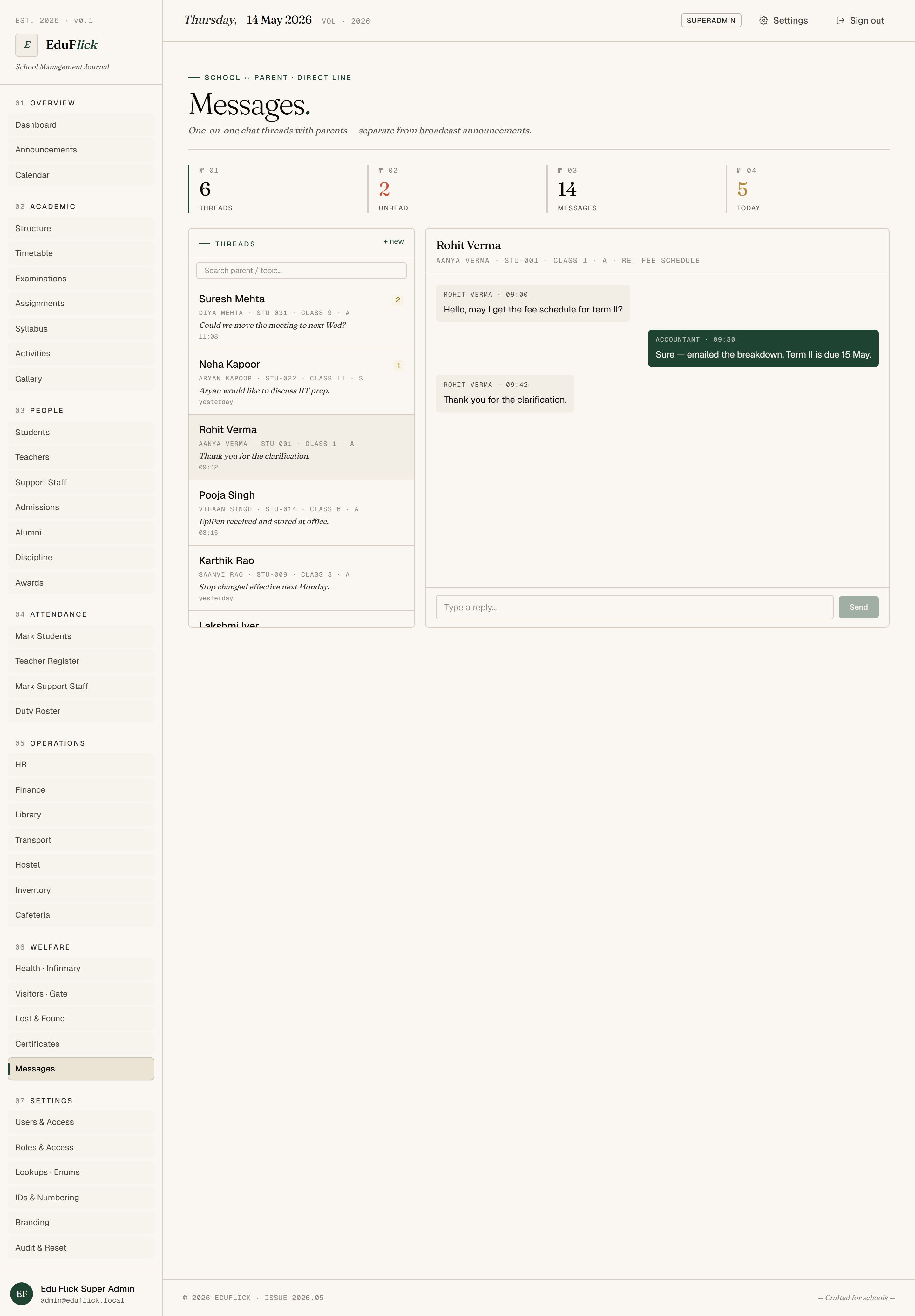
What's live today
- Send a message to another staff member, parent, or student.
- Threaded conversations.
- Read receipts.
- Lives inside the platform — no WhatsApp / personal-phone leak of school comms.
WhatsApp Business — landing in ~1 month
- Outbound: announcements, fee reminders, attendance alerts, exam-result publishing, report-card links — pushed to WhatsApp instead of just the in-app notice board.
- Inbound: parent replies land in Edu Flick Messages, in the right teacher's inbox. Audit-trailed exactly like an in-platform message.
- Targeted: same audience rules as Announcements — whole school, specific class, role, individual parent.
- Working-hour windows: out-of-hours messages queue up to land the next morning.
- Verified sender: messages come from your school's verified WhatsApp Business profile, not a random number.
WhatsApp chatbot ✨ — also ~1 month
Parents ask, the bot answers — from your data, never from the internet.
In progress · ~1 monthHow the chatbot is wired
RBAC-scoped
A parent only ever sees their child's data. The bot inherits the same row-level security as the rest of Edu Flick — nothing leaks across families.
Your data, your playbook
Bot answers come from your students table, your attendance register, your fee schedule, your principal's policy notes — never from the open internet.
Human-handover
If the bot is unsure, the question routes to the class teacher's Edu Flick Messages inbox — with the full conversation history attached.
Tailored to your school
- Working-hour windows — staff cannot receive parent messages outside school hours.
- Auto-translate threads for multi-lingual parents (English ↔ Hindi ↔ regional).
- Group threads — Class X-A parents auto-grouped with their class teacher.
- Escalation — unanswered parent messages auto-bump to Principal after a configurable window.
- Topic-categorised threads (academic · transport · fees · general).
- Quick replies — pre-approved one-tap responses for common parent questions.
- Chatbot persona & tone — friendly, formal, bilingual — tuned to match your school's voice.
Where AI takes this further
- Reply drafts — teacher writes "remind parent of fee dues", AI drafts a complete polite message in your school's tone. Teacher edits before sending.
- Sentiment flagging — surfaces unhappy parent threads to the Principal before they escalate.
- Trend insights — "20 parents asked about exam dates this week" → suggests proactive announcement.
- Voice notes transcribed — parent WhatsApp voice notes auto-transcribed for the teacher (with original audio kept).
Who uses it
All staff roles for in-platform Messages. Parents interact with WhatsApp + chatbot on their side. Class teachers and Principal see escalations.